


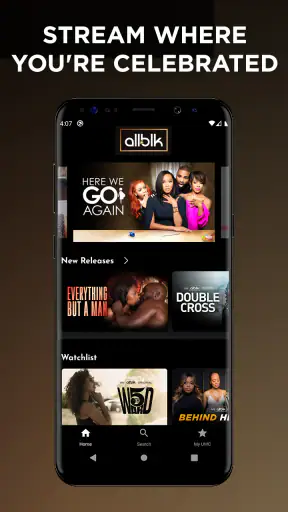
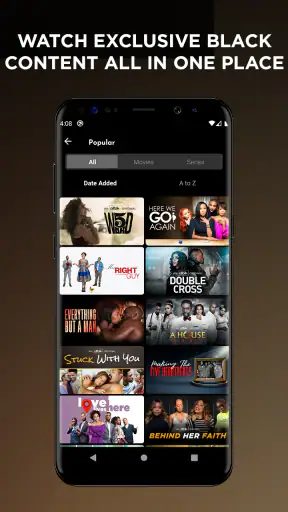
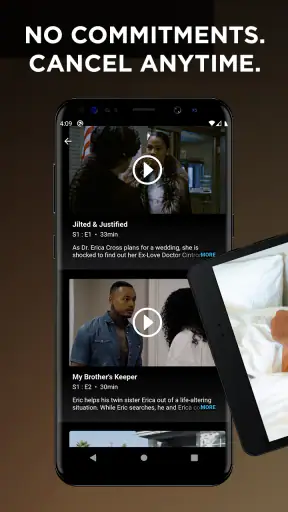

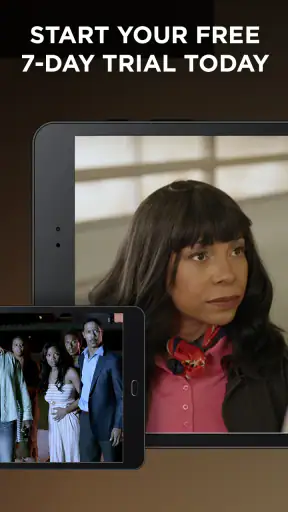

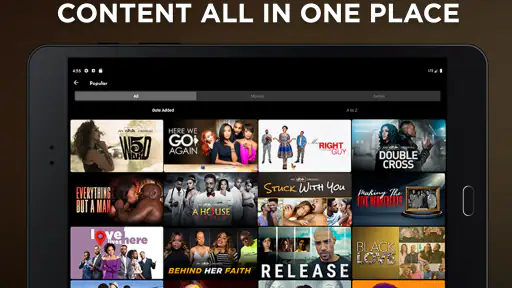
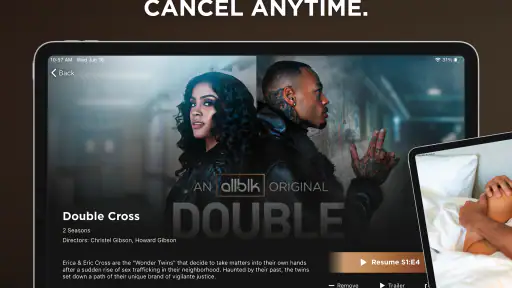
ALLBLK is a focused entertainment app for viewers who want Black-led movies, series, plays, and related programming in one place. I found its strongest appeal in the way it narrows the search: instead of opening a general streaming service and hoping the right title appears, I could begin with a clearer sense of what the catalog is built around. That makes it easier to choose something for a quiet evening, a shared movie night, or a quick episode during a break.
Developed by RLJ Entertainment, the app is free to install, although access to its streaming library can involve in-app purchases ranging from $6.99 to $69.99 per item. It is listed for Teen audiences and works on devices running Android 7.0 or later. The current Android version is 5.0.29.1, so users with older phones should check compatibility before planning around it.
My overall impression is positive but specific: this is not the best replacement for every streaming service you already use. It is more useful as a dedicated destination for Black entertainment than as a universal video hub. If that focus matches what you want to watch, the app feels purposeful. If you mainly want the largest possible mainstream catalog or a single subscription covering every genre, a broader service may fit your habits better.
How I settled into the everyday viewing workflow
The simplest way to use the app is also the most sensible. I open it when I already know the kind of viewing mood I want, browse the available selections, and choose between a film, series, or play rather than wandering through unrelated recommendations. That distinction matters because a specialized catalog can reduce decision fatigue, but only if I approach it with a little intention.
For a realistic evening scenario, imagine finishing work and wanting something substantial without spending half an hour comparing thumbnails. I would first decide whether I want a complete story or an episodic commitment. A film is the safer choice when time is limited, while a series works better when I want to return to the same world over several nights. Plays add another option for viewers who enjoy performance-driven storytelling rather than standard television formats.
I also found it helpful to treat the app as a planned part of my viewing rotation instead of expecting it to replace every other service. For example, I might use a general streaming platform for a major new release, then open ALLBLK when I specifically want Black-centered programming. That habit makes the app feel complementary rather than frustratingly narrow.
The most useful mindset is to search by viewing purpose, not just by title. A person looking for a family-friendly evening, a short dramatic watch, or a longer weekend binge will get more from the catalog by making that choice first. The app’s value comes from its editorial focus, so browsing becomes more productive when I respect that focus instead of comparing it directly with a giant general-purpose library.
New users may reasonably wonder whether the app is only for films. It is not presented that way. Its entertainment mix includes series, movies, plays, and more, which gives the service a broader identity than a simple film shelf. That variety is useful, but it also means I need to check the format of a title before settling in. A short play, a multi-episode series, and a feature-length movie create very different expectations for the same evening.
Small habits that make browsing less wasteful
I recommend deciding on a time limit before browsing. If I have only thirty minutes, I avoid opening a long series with the vague promise that I will “just watch one episode.” If I have a free weekend, I can explore more patiently and give unfamiliar titles a fairer chance. This sounds basic, but it prevents the common streaming problem of spending more time selecting than watching.
Another useful habit is to separate discovery from commitment. I can browse when I am relaxed, notice titles that interest me, and make a short mental or written shortlist. Later, when I am tired, I do not have to evaluate the entire catalog again. This workflow is especially helpful in a specialized service, where the attraction may be a particular theme, performer, format, or mood rather than a universally familiar title.
I would also avoid judging the whole app from the first screen alone. A focused service may present a smaller number of choices than a large competitor, but that can be a strength when I want relevant options. The trade-off is that I have to be more willing to explore beyond the most obvious row. A viewer who only taps the first prominent suggestion may miss the reason to use a dedicated Black entertainment platform in the first place.
Settings and account choices worth checking early
Before settling into regular use, I would review the app’s available account and playback choices rather than assuming the default setup is ideal. Streaming apps often feel smoother when I make those decisions at the beginning: whether I want notifications, how I handle purchases, and which device I expect to use most often. I would not enable every prompt automatically, because unnecessary alerts can turn a relaxed entertainment app into background noise.
The purchase structure deserves particular attention. The application itself is free to install, but in-app purchases are listed between $6.99 and $69.99 per item. That range is wide enough that I would pause before confirming anything and make sure I understand what the selected purchase provides. This is especially important if a family member uses the same device or if purchase confirmation is easy to trigger accidentally.
I would also check the age setting on the device and consider who else may use the app. The content rating is Teen, so I would not treat the catalog as automatically suitable for younger children. Parents should make their own viewing decisions rather than relying on the app’s general category label. For a shared tablet, a separate household rule about what can be watched is more dependable than assuming every title has the same tone.
Device compatibility is another practical checkpoint. The minimum operating system is Android 7.0, and the app is also available in the wider mobile-app ecosystem for iOS users. Anyone using an older Android phone should confirm that the installation is supported before paying for access or planning a trip around offline entertainment. Compatibility is easy to overlook when an app’s store page makes the service itself sound more important than the device requirements.
I would keep expectations realistic about playback quality as well. The viewing experience depends not only on the app but also on the phone, operating system, connection, and screen. On a small handset, a play or film may feel less immersive than it would on a television. My practical approach is to use the phone for convenience and move to a larger screen when the story deserves more attention, provided my setup supports that comfortably.
How I handle the free-versus-paid decision
The word “free” can create the wrong expectation if it is read as “everything is available without payment.” Here, I interpret it as free installation, with paid options inside the app. I would explore the interface first, understand what is accessible, and only then decide whether the catalog justifies spending money. That order protects against paying based on the app’s branding alone.
For someone who watches occasionally, the right choice may be to use the app only when a particular title or format appeals. For a frequent viewer who values the catalog’s focus, a larger purchase may make more sense, but only after considering how often the service will actually be used. The upper end of the listed purchase range is not a casual impulse decision for most people, so I would treat it as a commitment to a viewing habit rather than a one-night experiment.
I would also remember that a focused catalog can be valuable even when it is not enormous. The question is not whether it contains every type of entertainment. The better question is whether its selection matches my interests often enough to earn a place alongside my usual services. That is the comparison I found more useful than simply counting how many options appear on screen.
Faster patterns for experienced users
After using the app for a while, I would build a repeatable routine around three decisions: format, time, and audience. Format means choosing between a movie, series, or play. Time means deciding whether I want a quick episode or a longer session. Audience means checking whether I am watching alone, with friends, or with family. Making those choices before browsing turns the app from an endless catalog into a practical recommendation tool that I control.
For solo viewing, I would give unfamiliar titles a short trial rather than rejecting them immediately because the artwork is unfamiliar. A specialized service often rewards curiosity, particularly when the catalog includes forms of entertainment I do not normally encounter on mainstream platforms. For group viewing, I would agree on the format before opening the app. Otherwise, one person may expect a light movie while another is ready for a serious series, and the browsing process becomes the evening’s main activity.
A second faster pattern is to use a “next watch” queue mentally. When I discover a title that is not right for tonight, I note why it interested me: perhaps it is a play for a quieter mood, a series for a weekend, or a film better suited to watching with someone else. This is more effective than saving everything indiscriminately, because the reason for saving is what helps me choose later.
I also recommend separating promotional appeal from personal fit. A prominent title may be worth trying, but I ask whether it matches my available time and mood. That small pause prevents me from starting a demanding series when I really wanted a complete story. It also makes the service feel less like it is directing me and more like it is helping me find something I already want.
One non-obvious benefit of the app’s focus is conversation. When I use it with friends who are specifically looking for Black stories or performances, the service gives us a common starting point. We can discuss whether we want a film, a serialized story, or a play before debating individual titles. That is a different social experience from opening a broad service where the first decision is often just which algorithmic row to trust.
Where the shortcuts stop helping
Efficiency has limits. I would not expect a browsing routine to solve every problem if the available selection does not match my mood. Sometimes the right conclusion is that another service is better for that particular night. If I want a massive range of international genres, children’s programming, major sports, or a general family bundle, ALLBLK’s specialized purpose is unlikely to be enough on its own.
It is also not the ideal choice for someone who dislikes managing multiple entertainment subscriptions or purchase systems. A dedicated service can add meaningful variety, but it can also create another app to maintain and another payment decision to remember. Viewers who want one place for nearly everything may prefer a broader alternative, even if that means searching harder for Black-led content.
The average rating is 3.5 from around 4.6 thousand ratings, while the app has more than a million installs. I read those figures as a sign of a service with real reach but a mixed experience across users and devices. They do not replace personal testing. A viewer with a compatible phone, a reliable connection, and strong interest in the catalog may have a much better experience than someone installing it only because they want a general replacement for every other streaming option.
Advanced limits and practical trade-offs
The biggest advanced limitation is not a missing shortcut; it is the need to match the service to a specific viewing strategy. If I expect the app to behave like a universal entertainment operating system, I will probably notice its boundaries quickly. If I use it as a curated destination for Black movies, shows, plays, and related programming, those same boundaries become easier to accept.
Purchase planning is another area where experienced users should be careful. I would never make a higher-value purchase while distracted, especially on a shared device. I would confirm the title, the format, and the intended viewing period before proceeding. The listed purchase range means that casual browsing and financial commitment should remain separate steps.
There is also a difference between catalog relevance and catalog depth. A service can be highly relevant to a viewer’s identity and interests while still not replacing a general platform’s breadth. That is why I see this app working best in a layered setup: use it for programming that is difficult to find or easy to overlook elsewhere, and keep another option for broad, all-purpose viewing if your household needs one.
For parents, the Teen rating should shape the household workflow. I would preview or discuss selections before handing over the device, particularly when children are choosing independently. For older Android hardware, I would test installation and playback before treating the app as a dependable travel companion. These are small precautions, but they matter more than clever browsing habits when the goal is a smooth evening.
For accessibility and comfort, I would judge the app in the context of the device I actually use. A phone can be convenient but tiring for long films or performance recordings. Headphones may help in a noisy room, while a larger display may be preferable for group viewing. Those choices are not special features I would attribute to the app; they are practical ways to get more from its content without expecting the mobile screen to do everything.
My mastery verdict: who should install it
I recommend ALLBLK to viewers who actively want a dedicated home for Black entertainment and are comfortable adding a focused service to their existing viewing habits. Its mix of movies, series, plays, and other programming gives it a clearer personality than a generic video app. I especially like it for people who are tired of searching broad catalogs for something that reflects their interests, or for households that want a deliberate choice beyond the usual mainstream rotation.
I would be more cautious recommending it to someone who wants a single app with every genre, the widest possible family selection, or a completely free streaming experience. The free installation does not mean every viewing decision is cost-free, and the Teen rating means parents should stay involved. Users with older Android devices should also check that the minimum operating system requirement fits their phone.
My best advice is to start with a clear use case: choose a film for a complete evening, a series for repeated visits, or a play when you want something performance-led. Review purchase choices carefully, avoid enabling distractions you do not need, and judge the service by how often its focused catalog gives you a satisfying answer. That approach is more honest than expecting it to replace every alternative.
In the end, this is a specialized entertainment app with a recognizable purpose, not a universal solution. I would keep it installed if its selection regularly gives me stories and performances I would otherwise struggle to find. When that happens, the narrower focus is the reason to return. When it does not, a broader streaming option will probably offer better value. For the right viewer, though, the combination of focused programming and a repeatable browsing routine makes ALLBLK worth exploring.


